“Server error” when upgrading to Pro? That’s a bug in Google Play, not in the app — here’s the 2-minute workaround.Pro upgrade says “Server error”? It’s a Google Play bug, not the app — here’s how to fix it.How to fix itHide
Google Play bug · not the app · since late September 2026
Can’t upgrade to Pro? Here’s how to fix it.
When you tap Upgrade to Pro on the watch, Google Play hands the payment over to your phone — and since late September the phone’s Play Store fails that handoff with “Server error” or “This version of the application is not configured for billing through Google Play”. The app never gets a say in this: the error happens inside Google Play, before the payment reaches the app. Google has confirmed the bug is on their side — it hits every watch-only app on Google Play — and is working on it, but there is no date for a fix yet. Nothing is wrong with the app, your Google account or your card. Skip the phone and finish the purchase on a computer instead:
“Server error”
“Not configured for billing through Google Play”
- 1
Start the upgrade on the watch
Open the app, scroll down the menu and tap Upgrade to Pro.
- 2
Find the link on the watch
Google Play’s “Complete your purchase” screen opens on the watch. Ignore the part about the notification on your phone and scroll down: below “OR” it tells you to go to g.co/PlayContinue in a web browser.
- 3
Finish the purchase on a computer
On a computer (or an iPhone or iPad — anything without the Play Store app) open g.co/PlayContinue in a browser, sign in with the Google account from your watch and complete the purchase. “Couldn’t find your request” means a different account is signed in — switch to the watch’s one. On an Android phone the link opens the Play Store app and hits the same error.
Captured on our test account — you’ll see your own card and price.
- 4
Reopen the app on the watch
Close the app and open it again. Pro unlocks on its own — nothing to enter.
“…a server-side regression in Google Play’s cross-device companion billing handoff flow … We have formally escalated this issue to the Google Play Billing and Wear OS Engineering teams.”
Still stuck?
Write to me and I’ll walk you through it personally:
A Remote & Mouse for Your Android TV. On Your Wrist.
Turn your smartwatch into a TV remote with a touchpad and a real mouse cursor. Control any Android TV, Google TV, Fire TV, TV box, or Android projector over Wi-Fi — no phone, no companion app.
Free • No ads • No phone needed
WORKS WITH EVERY ANDROID-BASED TV DEVICE
NAVIGATION
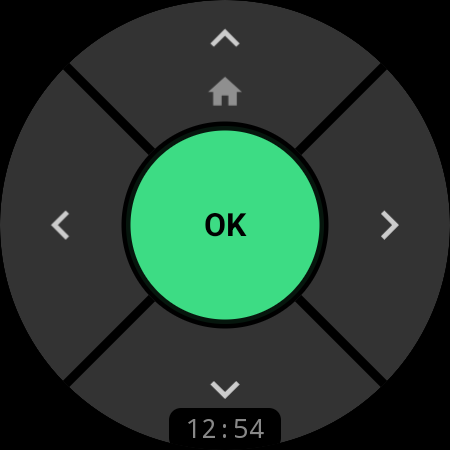
A D-Pad Built for a Round Screen
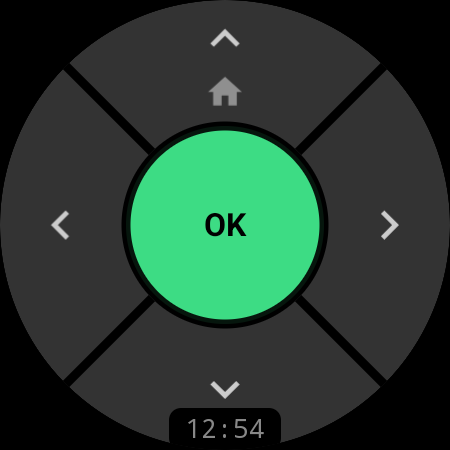
Drive your TV with a five-zone D-pad shaped for the watch. Tap the green OK to select, use the arrows to move, and long-press UP to jump Home — every press lands with crisp haptic feedback. The watch keeps the connection alive in the background, so the remote responds the moment you raise your wrist.
Free — available without Pro
TOUCHPAD & MOUSE
Your Whole Watch Becomes a Trackpad
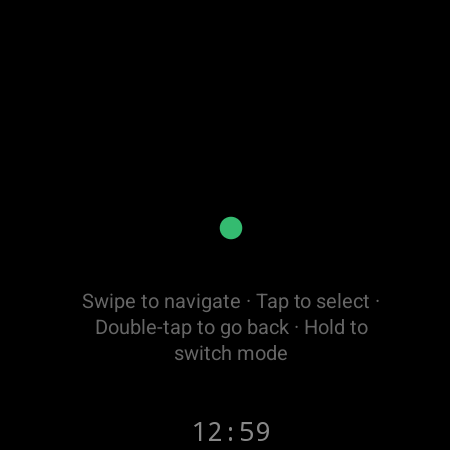
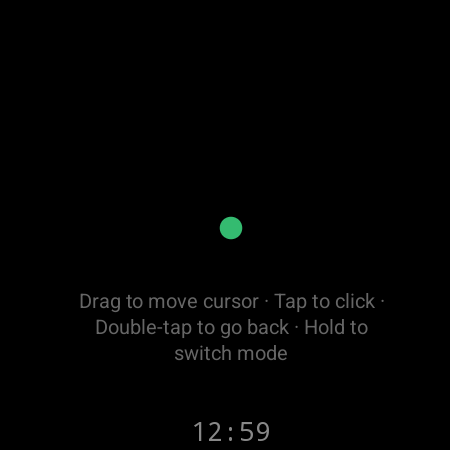
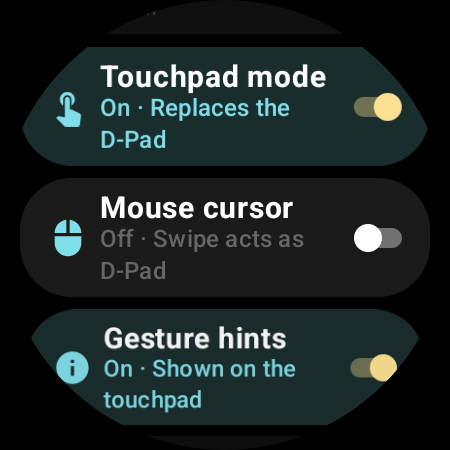
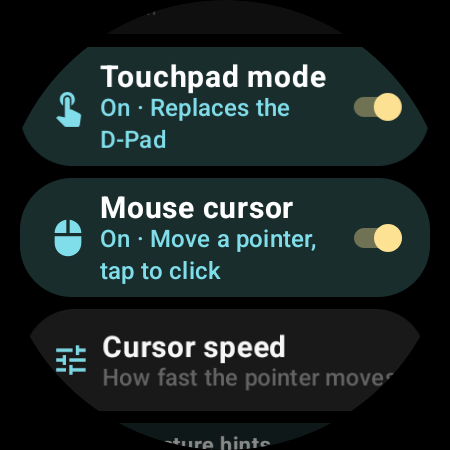
Flip on Touchpad mode and the entire watch face turns into a laptop-style trackpad. Swipe through menus like a pro — or switch to Mouse mode and steer a real, visible cursor across your TV. Perfect for browsers, screen-mirroring tools, and sideloaded apps that ignore the D-pad.
Swipe Instead of Pressing
Every swipe is one precise D-pad step — up, down, left, right. Tap for OK, double-tap to go Back, hold to switch modes. No buttons to hunt for in the dark.
A Real Mouse Cursor on Your TV
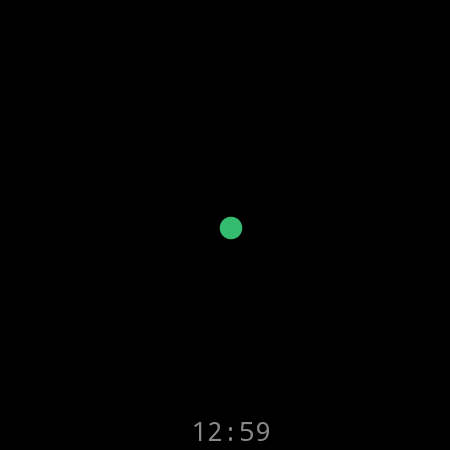
Mouse mode moves the actual system pointer on the TV screen — drag to glide, tap to click. Finally a way to use apps and web pages that a normal remote can’t touch.
Tuned to Your Thumb
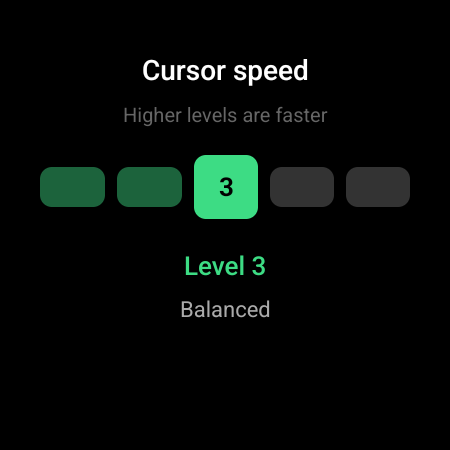
Five cursor-speed levels from pixel-precise to fast, optional on-screen gesture hints, and a one-tap way back to the classic D-pad.
Pro feature
MEDIA
Volume & Playback, One Press Away
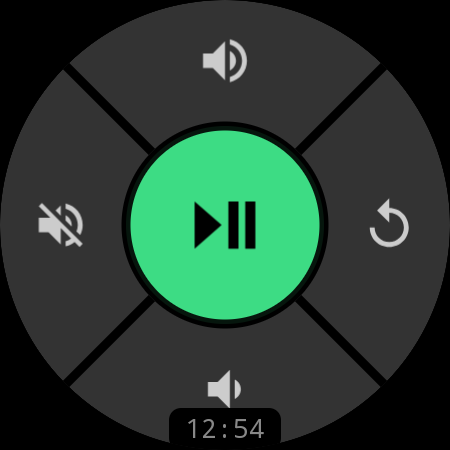
Long-press the center button to flip the same D-pad into a media pad: Play/Pause in the middle, volume on the vertical arrows, Mute and Back on the sides. Prefer hardware? Rotate the watch bezel or crown to ride the volume without even looking at the screen.
Pro feature
CUSTOMIZATION
Remap Every Button
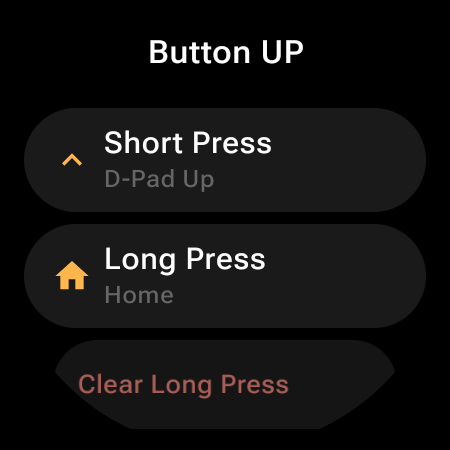
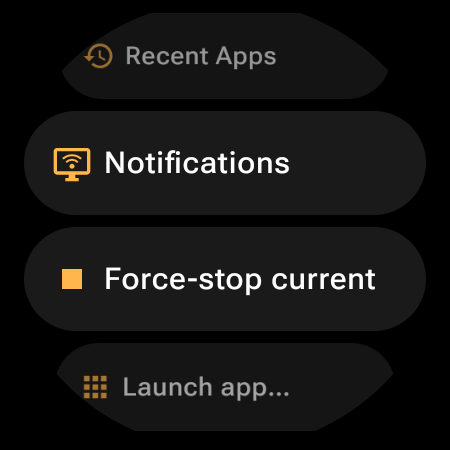
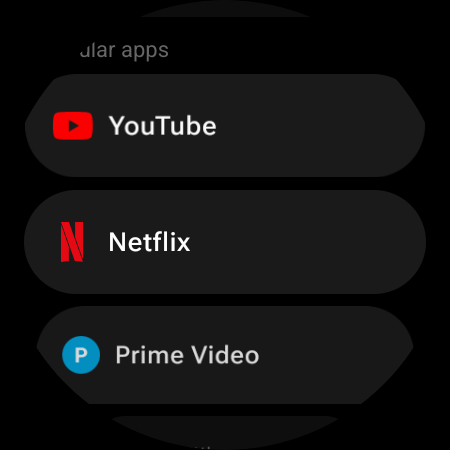
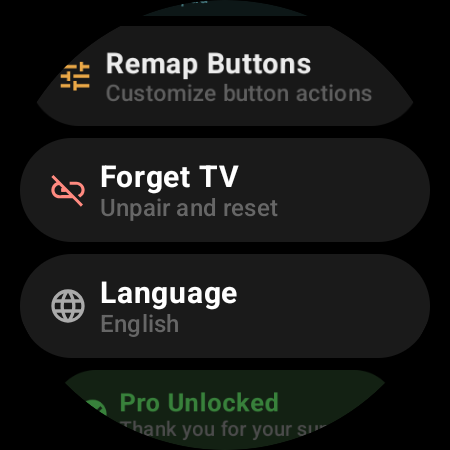
Five D-pad zones, two remote modes, and independent short-press and long-press for each — up to 18 slots to arrange your way. Choose from 34 actions across 7 categories, launch any of ~40 popular apps (or anything installed on your TV), open Recent Apps or Notifications, force-stop a frozen app, start voice typing, or flip to another TV.
Pro feature
SETUP
Pair Once. Reconnect Forever.
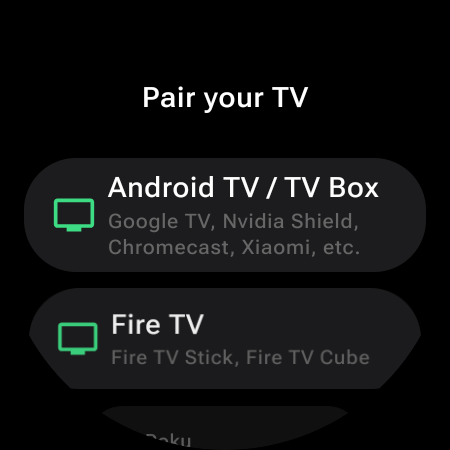
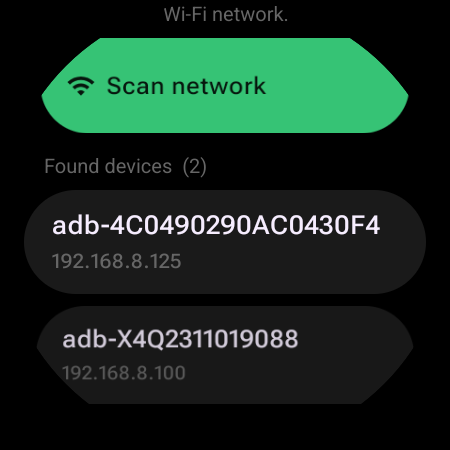
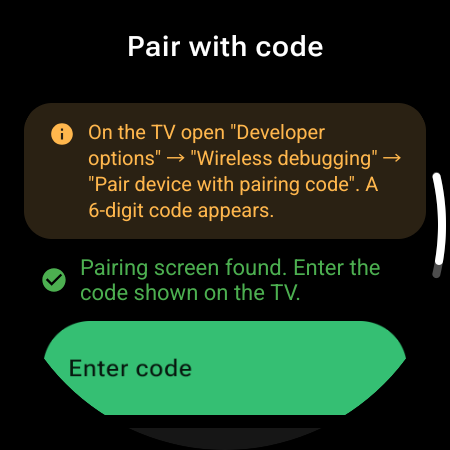
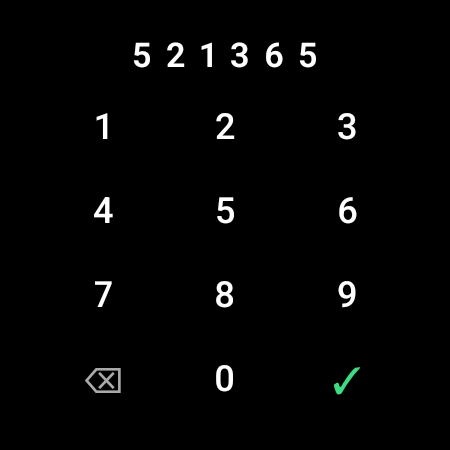
Step-by-step pairing that speaks your platform: pick Android TV / TV box or Fire TV and follow the short guide on the watch. Scan the network, tap your TV, and confirm once — with a 6-digit code on newer Android TVs, or a single OK on the TV for Fire TV and classic boxes. From then on the watch reconnects by itself, even if the TV’s IP address changes.
Free — one-time setup on the same Wi-Fi
ALWAYS READY
Always-On Display
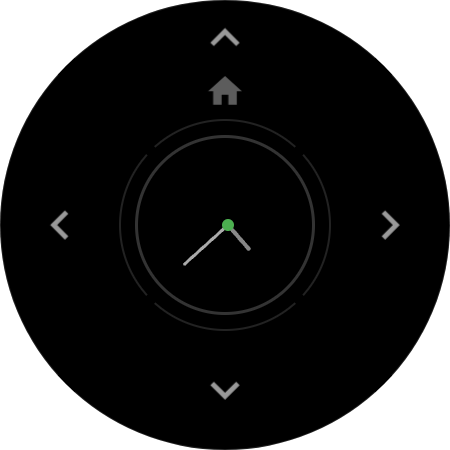
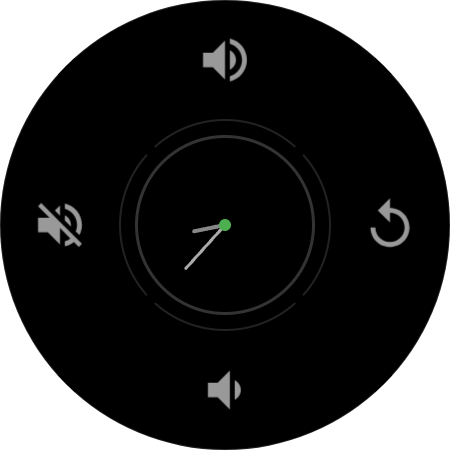
The remote never leaves your wrist. Ambient mode keeps the connection alive, and Keep Screen On swaps the D-pad for a dimmed, outline-only style with an analog clock in the OK button — while the layout quietly shifts position every minute to protect your screen from burn-in.
Pro feature
MULTI-DEVICE
Every Screen in the House. One Watch.
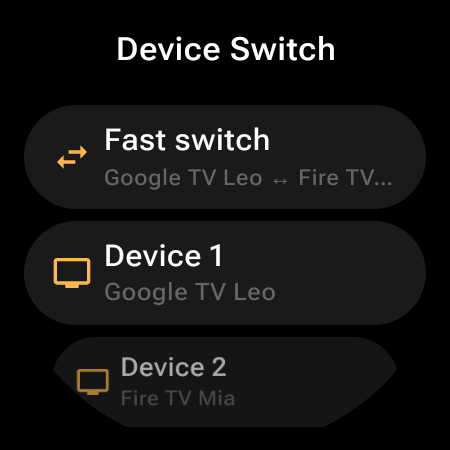
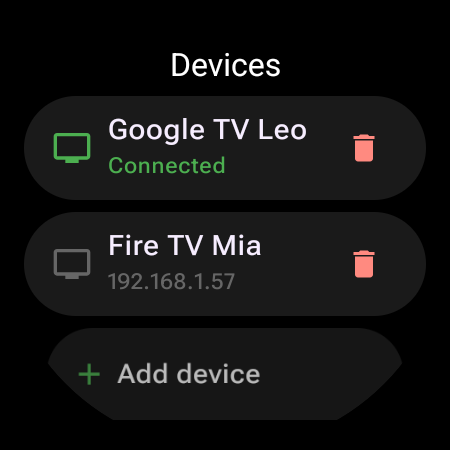
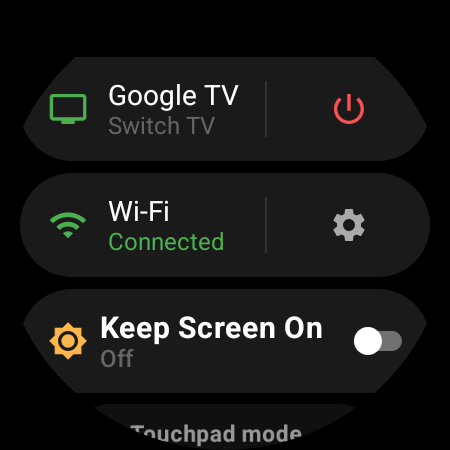
Save the living-room Google TV, the bedroom Fire TV Stick, and the projector — they all live in one Devices list. Tap any of them to switch instantly, or map Fast Switch to a button and bounce between your two favorites in a single press. A quick-settings panel adds TV power, Wi-Fi status, and Keep Screen On, one swipe from the remote.
Free + Pro
HOW IT WORKS
From Install to Control in Minutes
Install on Your Watch
Get Remote & Mouse for Android from Google Play directly on your Wear OS smartwatch. No phone companion app needed.
Enable ADB on the TV
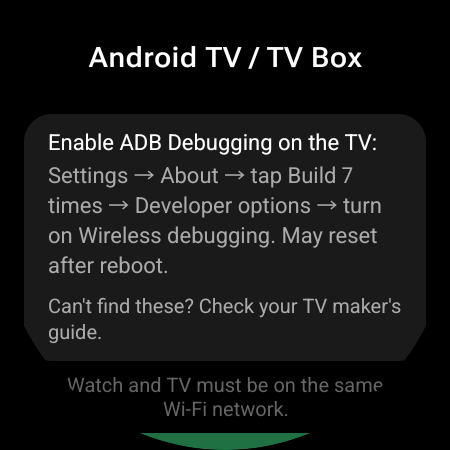
Android TV / Google TV: Settings → About → tap “Build” 7 times, then turn on Wireless debugging. Fire TV: Settings → My Fire TV → Developer Options → ADB Debugging. One time only — the app guides you.
Scan & Pair
On the same Wi-Fi, tap “Scan network” and pick your TV. Confirm once — a 6-digit code on newer Android TVs, or a single OK dialog on the TV. After that the watch reconnects automatically.
EVERYTHING YOU NEED
34 Actions. 7 Categories.
D-Pad Navigation
Up, Down, Left, Right, OK, Back & Home — with haptic feedback on every press
Touchpad Mode
The whole screen is a trackpad — swipe to navigate, tap for OK, double-tap for Back
Real Mouse Cursor
A visible pointer on the TV with five speed levels — drag to move, tap to click
Media Playback
Play/Pause, Stop, Next, Previous, Fast Forward & Rewind
Volume & Mute
Tap the media pad or rotate the watch bezel or crown to ride the volume
Voice Typing
Speak or type on the watch — the text lands in any search box on the TV
One-Tap App Launch
YouTube, Netflix, Prime Video & ~40 popular apps — or any app installed on your TV
Button Remapping
34 actions across 7 categories — assign any to any button, short or long press
Power & Quick Settings
TV power, Wi-Fi status, and Keep Screen On — one swipe from the remote
COMPATIBILITY
Works With Any Android-Based TV
Compatible Watches
…and many others! Any watch running Wear OS 3.0 or later (API 30+)
Compatible TV Devices
Works with any Android-based TV device that supports ADB over Wi-Fi — Android TV, Google TV, Fire OS, TV boxes, and projectors alike. Enable Developer Options once, pair, and the watch reconnects automatically from then on.
FREQUENTLY ASKED QUESTIONS
Everything You Need to Know
One Less Remote to Hunt For.
Remote & Mouse for Android is on Google Play — a full TV remote, touchpad, and mouse cursor on your wrist.
Free • Wear OS 3.0+ • One-time Pro upgrade, no subscription